I was walking home from the office, finally having the breakthrough thought I needed about a database migration. I pulled out my phone and started recording while walking.
The transcript came back: "We can bridge the old schema by... [inaudible] ...and then migrate users in batches of... [inaudible] ...which means we won't need downtime."
Two critical pieces of the solution were gone. Replaced by [inaudible] because a bus went by and I didn't pause.
That's when I learned: the best ideas don't wait for quiet rooms, but you need to know how to capture them in noise.
The simple principle that fixes most problems
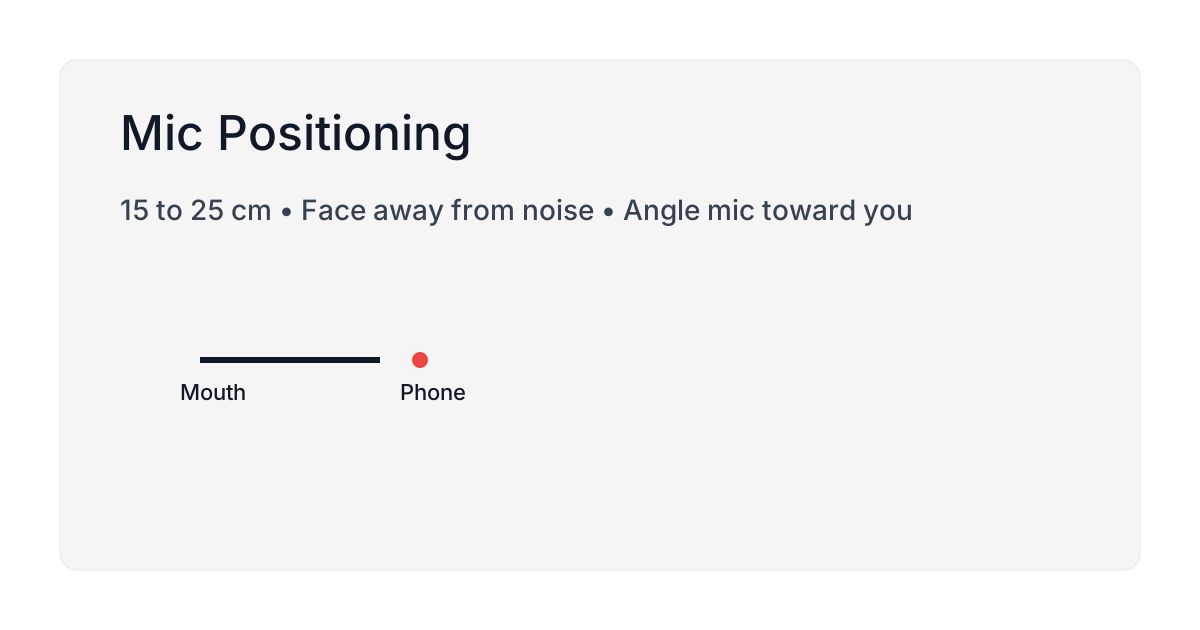
Think about the line between your mouth and the phone's microphone. Your goal is to keep that line short, steady, and clear of obstacles.
Traffic noise, wind, and other conversations all need to be behind the mic, not between you and the mic.
That's the whole game. Position yourself so the noise has to go through the phone to reach the mic, while your voice has a direct path.
This isn't just intuition. Research in JASA Express Letters confirmed that microphone mounting location significantly affects recognition accuracy, regardless of the speech recognition system used.
What actually works when walking outside
Hold the phone 15-25cm from your mouth. About half a forearm's length. I used to hold the phone right up to my face like I was making a call. That creates muffled pops on hard consonants. Too far away and background noise competes with your voice.
Find the middle distance where you can speak naturally without the mic picking up your breathing.
Angle the bottom microphone toward you. The iPhone's primary mic is on the bottom edge. Point it at your mouth, not at the ground or sky.
Turn your back to the wind. I used to face into the wind like it didn't matter, and gusty stretches came back with words dropped or swapped for something else. Turning my back cut that almost entirely. Wind hitting the mic directly creates low-frequency rumble that drowns out speech.
Turn 90 or 180 degrees. Use your body as a windbreak. Your jacket collar makes a surprisingly good shield.
Pause when vehicles pass. When a bus or truck goes by, pause for two seconds. Start a new sentence after it passes. Trying to talk over loud noise creates garbled transcripts.
The pause is cheap. Fixing garbled text later, replaying the recording, guessing at the missing word, costs more than the pause ever did.
Use wired EarPods instead of AirPods. I tested this side-by-side for a week. Wired EarPods gave me cleaner transcripts while walking every single time.
AirPods use Bluetooth, and recording switches them from the high-quality music profile to a low-bitrate, narrow-frequency call profile, because Bluetooth cannot carry high-quality audio in one direction and a microphone feed in the other at once. See the Bluetooth codec mechanics for the sourced version of this.
Wired EarPods don't negotiate. The signal is direct. The mic position stays consistent. See the detailed comparison.
When you're recording indoors
Choose soft rooms over hard rooms. I record in my home office vs. the kitchen. Same phone, same voice. The kitchen transcript always has more errors.
Hard surfaces (tile, glass, bare walls) bounce sound. The mic picks up echoes and confuses them with your speech. Soft surfaces (curtains, rugs, upholstered furniture) absorb sound.
If you have a choice, pick the carpeted room with curtains over the tiled room with windows.
Point the mic away from HVAC vents. I spent two weeks frustrated by inconsistent transcription at my desk before I realized the AC vent was directly above me. When the fan kicked on, accuracy dropped.
Moved my chair two feet to the left. Problem solved.
Don't tap the table or spin in your chair. Physical vibrations travel through the phone. Every time you tap the desk or shift in a squeaky chair, the mic picks it up as noise.
Keep your hands steady while recording. If you're a fidgeter like me, hold the phone instead of setting it on the desk.
The quick test that shows what works
Don't guess. Test once and you'll know for months.
- Pick a paragraph you know well (or find one online).
- Step outside and record it twice:
- First with AirPods while walking
- Then with wired EarPods while walking
- Come back inside and record it once more with AirPods at your desk.
- Count the errors in each transcript.
Whatever setup gives you the fewest errors: that's your default. Don't overthink it. Use what works.
I ran this on an iPhone 15 Pro, iOS 18, with the first paragraph of a blog post I'd written. Outside with AirPods: 7 errors. Outside with wired EarPods: 1 error. Inside with AirPods: 0 errors. That's one person, one paragraph, one day of wind, not a controlled study, so treat it as a starting point and run your own three readings before you trust it.
In my test: wired EarPods outside, AirPods inside. Run the same test on your setup before you commit to it.
What to do about wind
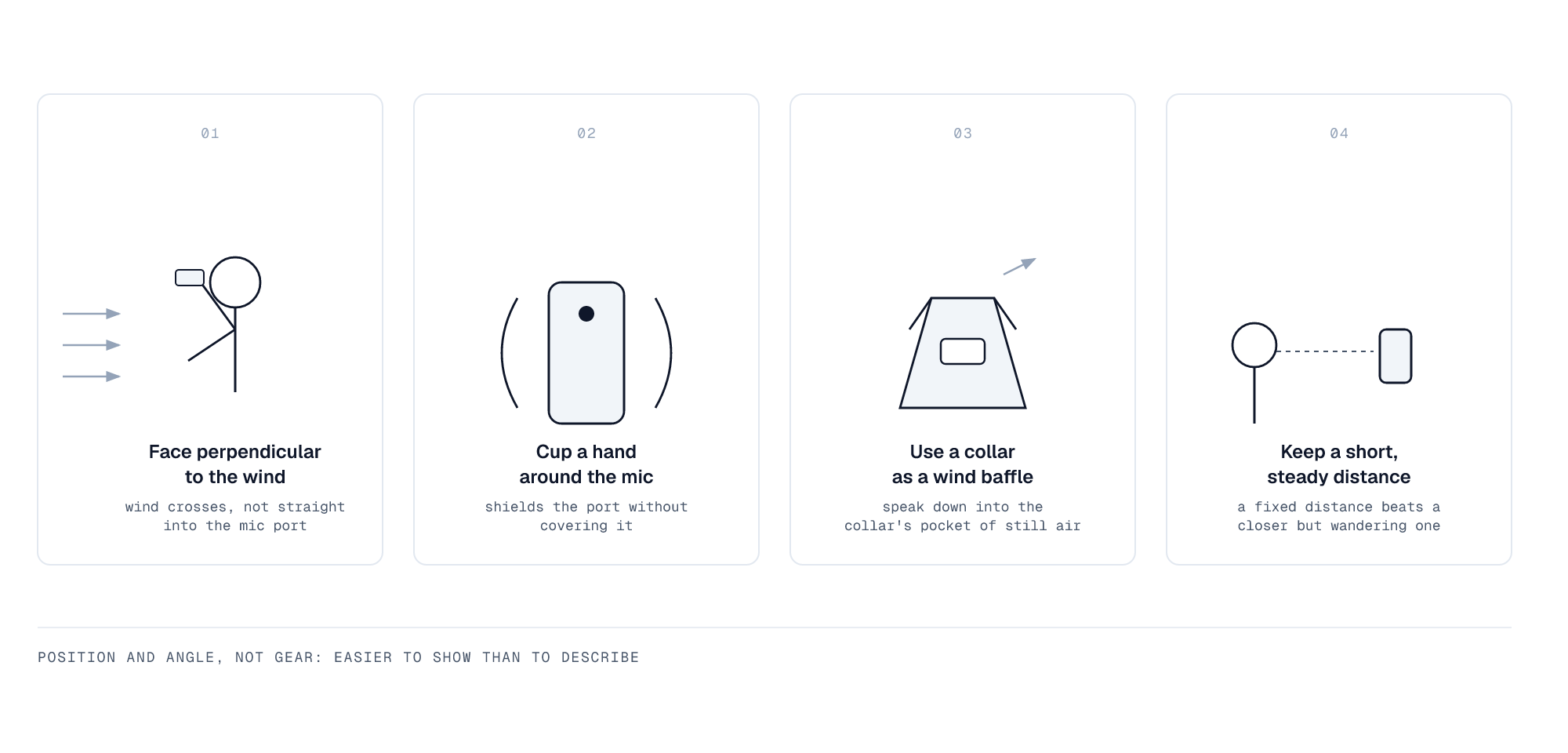
Wind is the worst offender for outdoor recording. Here are three techniques that work:
Cup your hand near the mic. Not covering it, just creating a small windbreak with your hand about an inch away from the bottom edge. This blocks direct gusts without muffling your voice.
Turn perpendicular to the wind. If the wind is coming from the north, face east or west. Your body blocks most of it from hitting the mic directly.
Use your jacket collar. Pull your jacket collar up slightly. It creates a buffer zone around your mouth and the phone. I look slightly ridiculous doing this, but the transcripts are clean.
Wait out strong gusts. When you hear a strong gust coming, just stop talking for two seconds. Trying to talk through it creates unusable audio. The pause is worth it.
The gear question
Do you need special equipment? No. The iPhone mic is good enough for ordinary recording indoors and in calm conditions. But if you're recording outside frequently, two accessories help:
Wired EarPods ($19). Better than AirPods while walking. The mic stays close to your mouth, signal is direct, no Bluetooth negotiation. Two weeks of side-by-side mic tests show exactly how much that gap widens once you're outdoors.
Lavalier mic ($20-50). If you record in steady wind often (beach walks, cycling commutes), a small lav mic clipped to your collar gives you consistent quality. I use one on windy days.
You don't need an expensive studio setup. Just something that keeps the mic position consistent.
Common mistakes I made
Mistake 1: Holding the phone against my ear. Felt natural because that's how I hold it for calls. Created muffled, popping transcripts. Fixed it by holding the phone 20cm from my mouth.
Mistake 2: Trying to record in maximum noise. Standing next to a construction site, recording while a jackhammer ran. The transcript was unusable. Walked 30 feet away, tried again, perfect.
You don't need silence. But you need the signal (your voice) to be louder than the noise. If you can't hear yourself over the background, neither can the mic.
Mistake 3: Moving the phone while talking. I'd gesture with the phone in my hand, moving it closer and farther from my mouth. This created volume swings that confused the transcription engine.
Now I keep the distance steady. Gesture with my other hand if I need to.
The one-minute fix to try first
Most people's transcription issues come from mic distance, not the transcription engine.
Before you blame the app or the AI model, try this:
- Hold the phone 15-25cm from your mouth
- Point the bottom mic at your face
- Turn your back to the wind or noise
- Speak at normal volume
That fixes most problems immediately.
Why this matters more than you'd think
Bad mic technique doesn't just create typos. It makes you stop trusting the tool.
When I was getting garbled transcripts, I started recording defensively. I'd speak slowly, over-enunciate, check the screen constantly to see if it was working. That broke my flow. The tool became something I had to babysit instead of something that helped me think.
Once I fixed the mic positioning, I could record while walking without looking at the screen. The transcripts were accurate enough that I could paste them directly into docs. The tool disappeared into the background.
That's what good technique does: it removes friction so you can focus on thinking instead of recording. Why speed matters this much for capture goes deeper into the mechanism.
A 2024 study in Frontiers in Neuroscience found that microphone position directly affects speech intelligibility in noise.
Related guides:
- Wired vs wireless comparison for detailed testing results
- Voice dictation tips for general transcription advice
- Offline capture for recording without internet