Capture01
Speak naturally
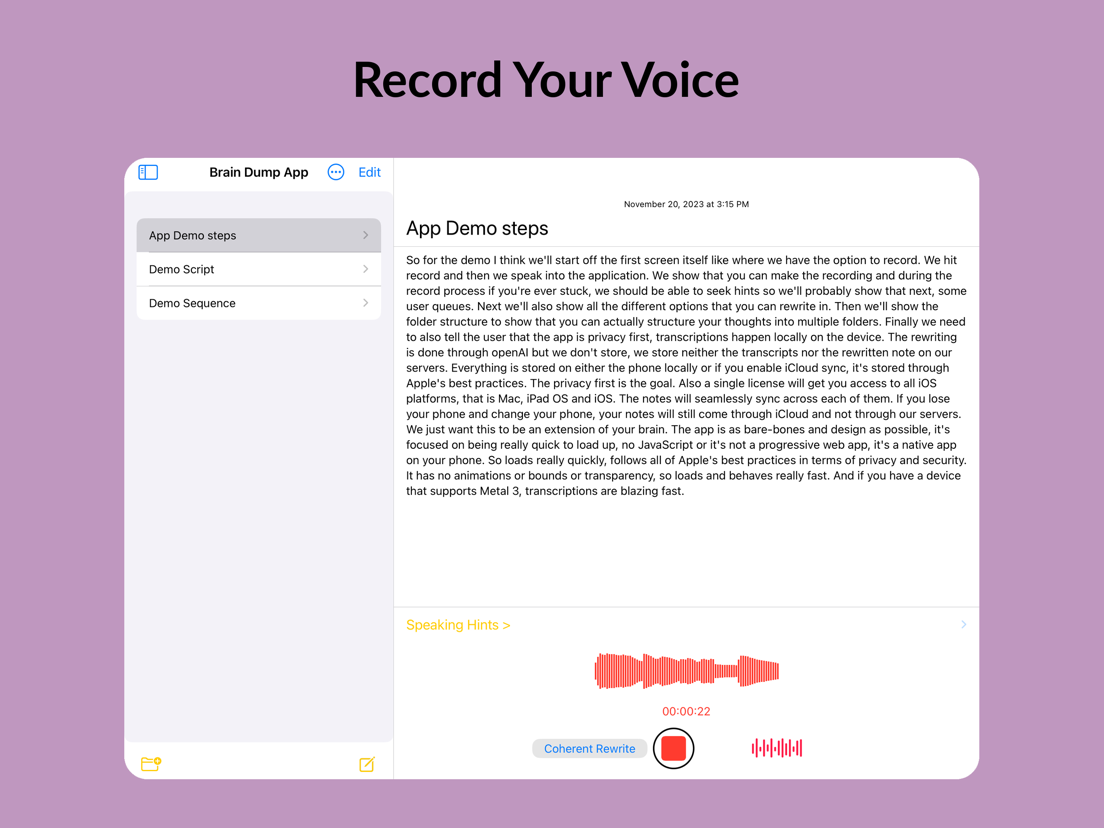
Tap record, use a widget, or ask Siri. Pause, ramble, change direction: Brain Dump keeps up.
Voice journal app for iPhone
Talk naturally. Brain Dump transcribes on-device and gives you an editable note you can keep, search, and use, without another cloud account.
34-second product walkthrough
4.5 / 5
App Store rating
On-device
Private transcription
No account
Start immediately
Plain text
No lock-in
From thought to note
Tap record, use a widget, or ask Siri. Pause, ramble, change direction: Brain Dump keeps up.
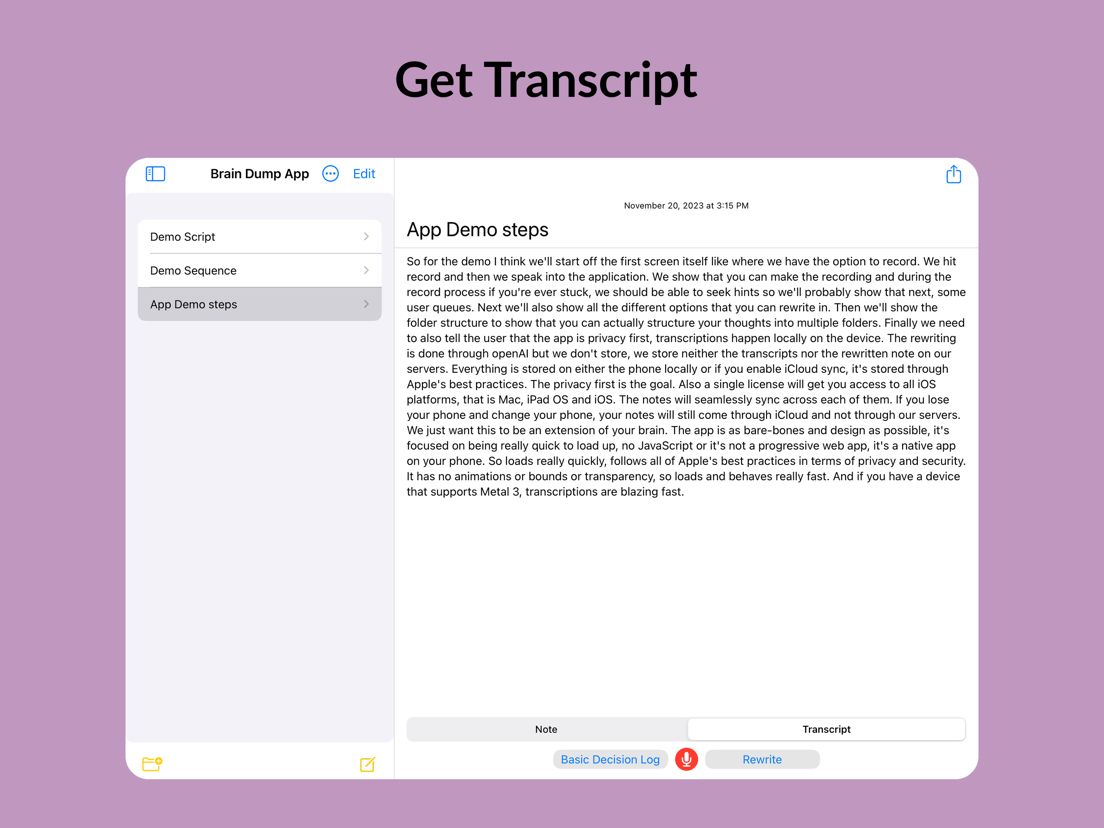
Your voice becomes a searchable note on your device, even when you are offline.
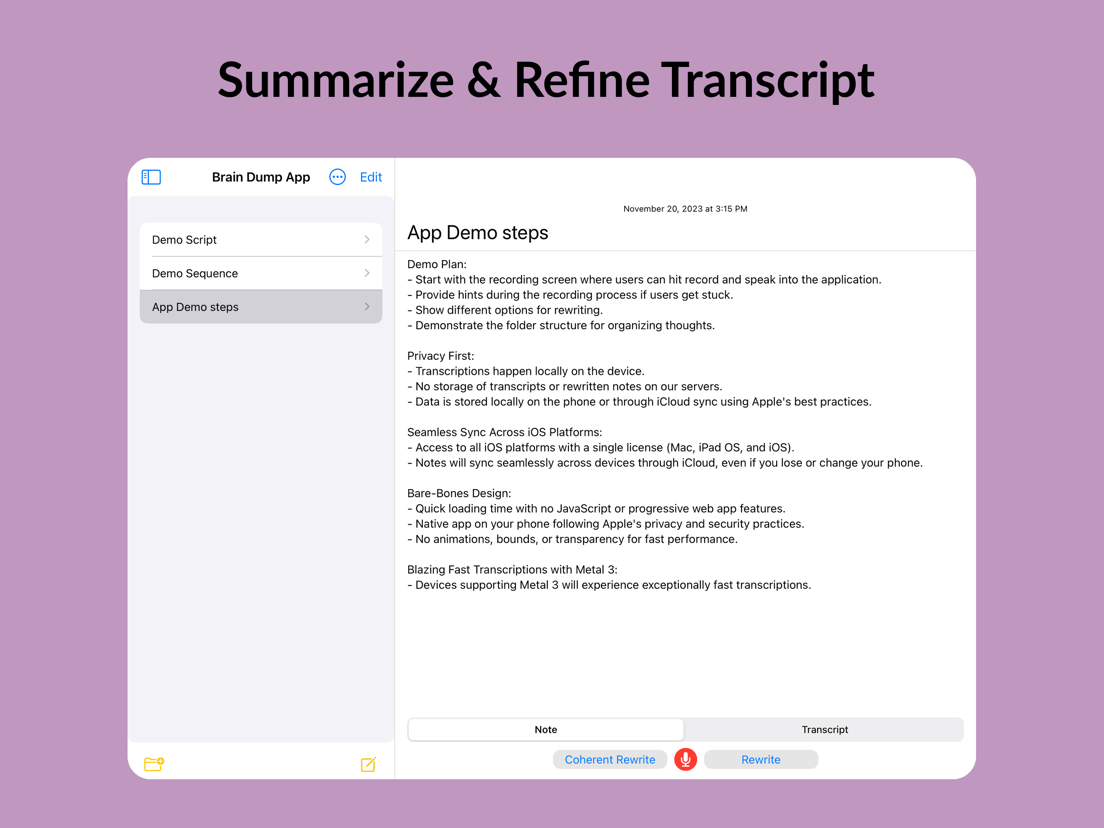
Keep the raw transcript or optionally turn it into a summary, journal entry, or action list.
Most voice tools are built around uploading audio or keeping your notes inside their database. Brain Dump starts with a simpler promise: private processing and portable files.
See how offline transcription worksCore transcription runs on your device. Your raw thinking does not need a trip through someone else’s cloud.
Save standard Markdown files to iCloud or directly inside an Obsidian vault. Open them in any text editor.
Use iCloud when you want it. Keep working offline when you do not. Your notes remain accessible either way.
Built for real life
Brain Dump is for the moments when the idea is ready but your hands, energy, or attention are not.
Ideas
Capture the thought before the next traffic light wipes it from memory.
Work
Debrief while the decisions, risks, and next steps are still sharp.
Journal
Get it out of your head, save it, and give yourself a chance to sleep.
ADHD
Skip the blank page and talk at the speed your brain is already moving.
From the App Store
4.5 / 5
★★★★★“One of the smoothest note-taking experiences I've had. I just talk it out and it does the rest.”
★★★★★“I went from overwhelmed to journaling without a second thought.”
★★★★★“Fantastic for meeting notes and executive summaries. It handles the part that usually gets dropped.”
Simple pricing
Record, transcribe, edit, export, and optionally sync with iCloud without paying. Subscribe only if you want unlimited AI refinement.
Compare free and ProCore capture, no account
Optional AI refinement
You speak and Brain Dump turns your voice into a clean, editable note. You can keep the transcript as-is, format it, share it, or optionally use AI to refine it.
Yes. Recording, on-device transcription, editing, export, and optional iCloud sync are free. A Pro subscription unlocks unlimited AI rewrite features such as polished notes and summaries.
Yes, after the on-device speech model is downloaded. Recording and core transcription work offline. AI rewrite features require an internet connection.
You can keep notes as standard Markdown files and optionally sync them with iCloud. You can also point Brain Dump at an Obsidian vault.
Voice Memos is built around audio playback. Brain Dump is built around the written result: searchable, editable text you can use immediately.
No. Brain Dump includes a familiar rich-text editor. Markdown is simply the portable file format underneath, so your notes are not trapped in the app.
Download Brain Dump and turn one messy thought into something you can use. No account, no setup maze.